
- 3 перегляди
You have an on-premises Active Directory Domain Services (AD DS) domain that syncs with an Azure Active Directory (Azure AD) tenant.
The AD DS domain contains a domain controller named DC1. DC1 does NOT have internet access.
You need to configure password security for on-premises users. The solution must meet the following requirements:
✑ Prevent the users from using known weak passwords.
✑ Prevent the users from using the company name in passwords.
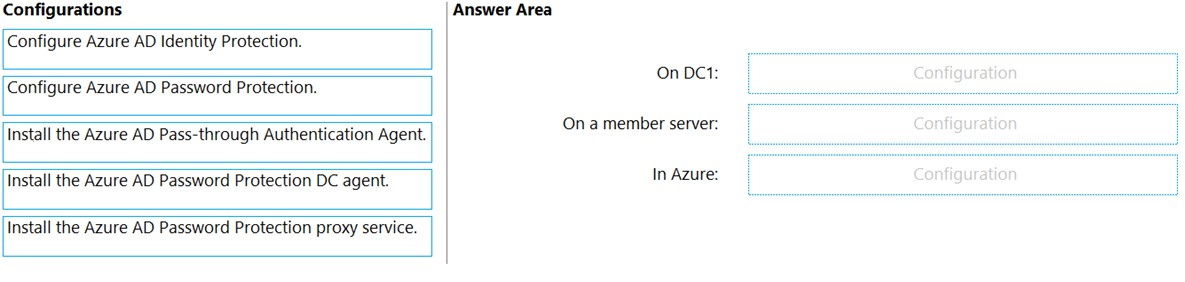
What should you do? To answer, drag the appropriate configurations to the correct targets. Each configuration may be used once, more than once, or not at all.
You may need to drag the split bar between panes or scroll to view content.
NOTE: Each correct selection is worth one point.
Select and Place:
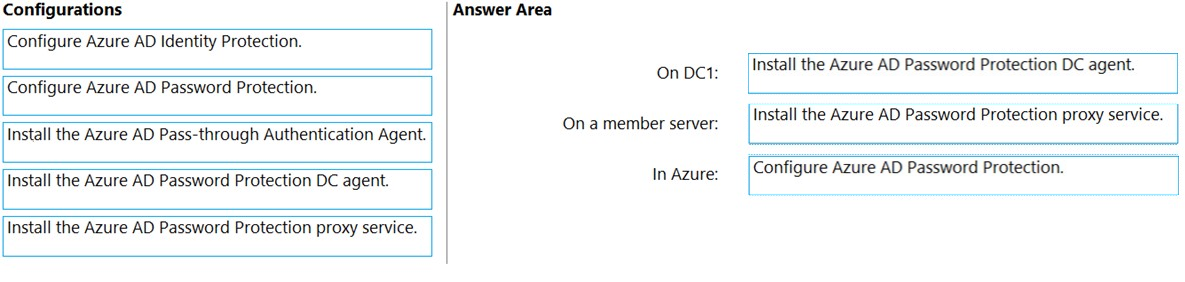
The suggested answer is correct
- Install agent
- Install proxy
- Configure
starseed
3 months ago
Correct answer
upvoted 1 times
RemmyT
4 months, 1 week ago
On DC1 : Install the Microsoft Entra Password Protection DC agent. On a member server : Install the Microsoft Entra Password Protection proxy service. In Azure : Configure Microsoft Entra Password Protection
upvoted 1 times
calotta1
1 year, 4 months ago
Correct answer!
upvoted 1 times
Techbiz
1 year, 4 months ago
The current answer is correct
upvoted 1 times
syu31svc
1 year, 7 months ago
Answer provided is correct and link given supports it
upvoted 3 times
kijken
1 year, 9 months ago
I would say first proxy then agent
upvoted 2 times
tfulanchan
1 year, 9 months ago
Disagree, see the link provided by wyindualizer: Machines where the Azure AD Password Protection DC agent software will be installed can run any supported version of Windows Server, including Windows Server Core editions. All machines where the Azure AD Password Protection proxy service will be installed must run Windows Server 2012 R2 or later, including Windows Server Core editions.
upvoted 3 times
wyindualizer
1 year, 10 months ago
https://github.com/MicrosoftDocs/azure-docs/blob/main/articles/active-directory/authentication/howto-password-ban-bad-on-premises-deploy.md
upvoted 3 times
Leocan
1 year, 12 months ago
In Azure, configure Password protection -> Custom banned passwords. https://learn.microsoft.com/en-us/azure/active-directory/authentication/tutorial-configure-custom-password-protection
upvoted 2 times