
Exam
Answer confirmed
Question
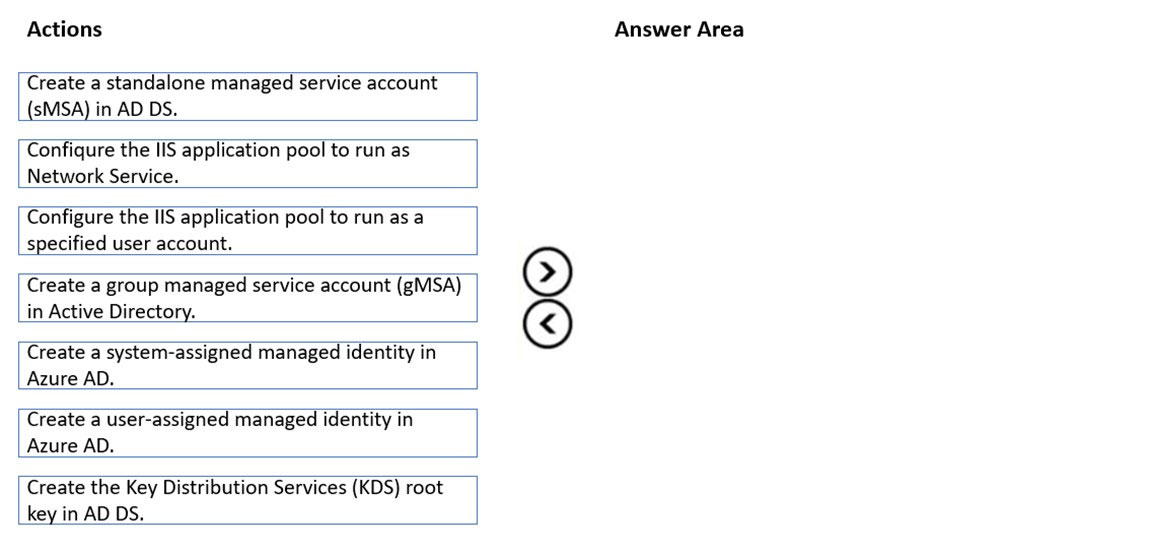
Which three actions should you perform in sequence to meet the security requirements for Webapp1? To answer, move the appropriate actions from the list of actions to the answer area and arrange them in the correct order.
Select and Place:
Proposed answer
Suggested answer
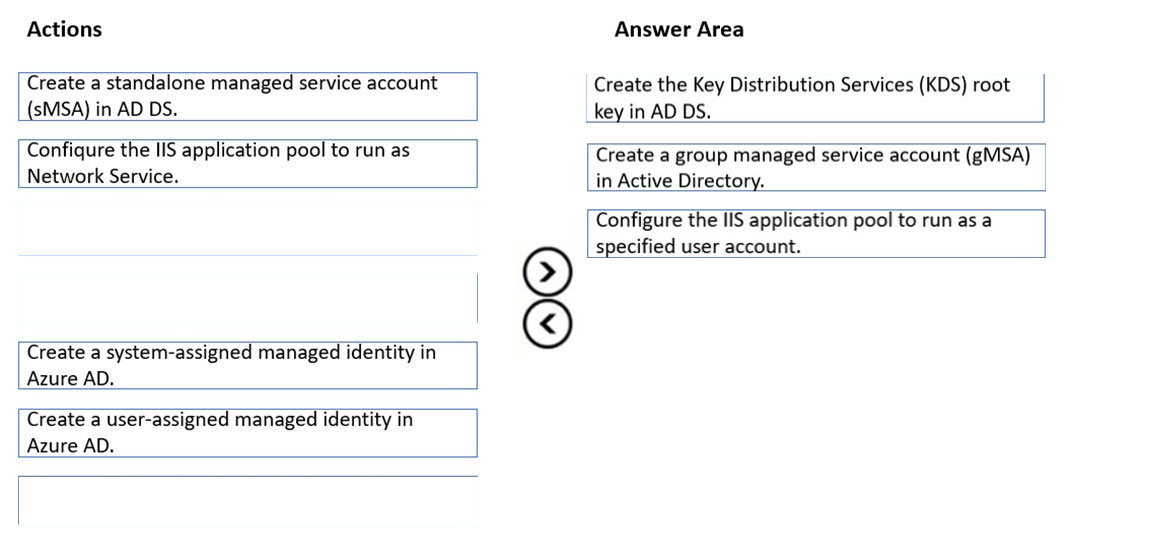
Correct answer
The suggested answer is correct
Leocan
Highly Voted 2 years ago
Missing a step to install gMSA on the Web servers. “Configure the IIS application pool to run as a specified user account" can be understood as "run as the gMSA account."
upvoted 5 times
sardonique
Most Recent 3 months, 1 week ago
technically gMSA is not a user account, it is more of a computer account. it has the $ symbol in its SamAccount
upvoted 2 times
IcE
6 months, 1 week ago
upvoted 2 times
sardonique
3 months, 1 week ago
stop trolling
upvoted 2 times
MR_Eliot
1 year, 2 months ago
Coorecto
upvoted 1 times
syu31svc
1 year, 8 months ago
https://learn.microsoft.com/en-us/windows-server/security/group-managed-service-accounts/group-managed-service-accounts-overview
https://learn.microsoft.com/en-us/windows-server/security/group-managed-service-accounts/getting-started-with-group-managed-service-accounts
https://learn.microsoft.com/en-us/windows-server/security/group-managed-service-accounts/create-the-key-distribution-services-kds-root-key?source=recommendations
Answer is correct
upvoted 3 times
raulgar
1 year, 8 months ago
the last one why is run as a specified user account and not as netowrk service?
upvoted 2 times
johosofat
2 years ago
This is correct only because the GMSA is created in local AD- because we have that as the root domain- this GMSA has to be created in the root domain- See cross domain usage- when you create a on Prem GMSA - it will work in the child domain if you have network ATP- which is a new name for Defender if you look it up https://azurecloudai.blog/2020/04/15/create-a-group-managed-service-account-gmsa/
upvoted 3 times
[Removed]
2 years, 1 month ago
It seems to be correct: https://shellgeek.com/group-managed-service-accounts/#Create_Group_Managed_Service_Account_gMSA_using_PowerShell
upvoted 2 times