
You create an Azure virtual machine named Server1 that runs Windows Server.
Server1 has the disk configurations shown in the following exhibit.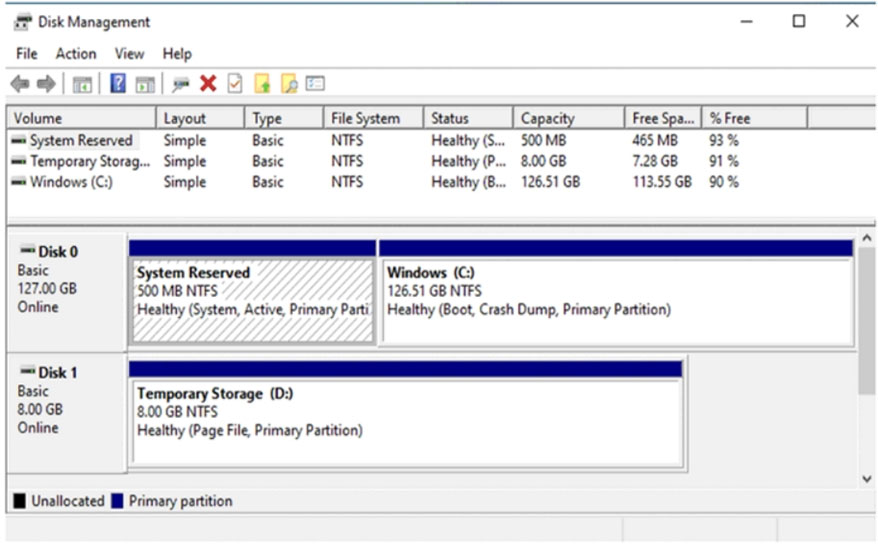
You need to create a new 100-GB volume on Server1.
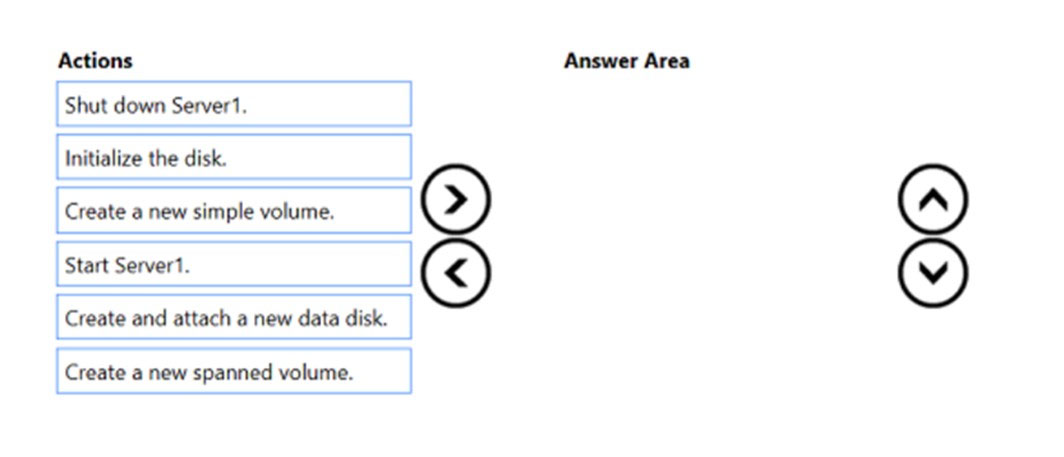
Which three actions should you perform in sequence? To answer, move the appropriate actions from the list of actions to the answer area and arrange them in the correct order.
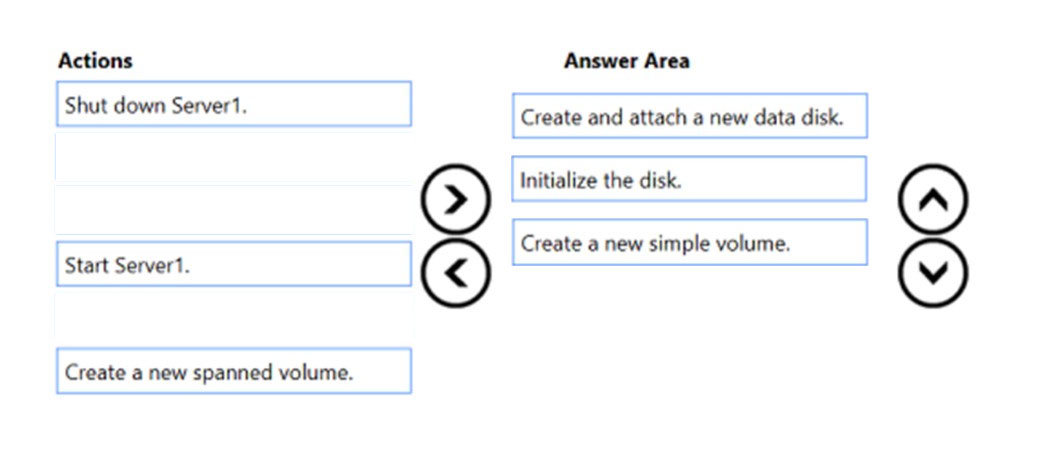
Step 1: Create and attach a new data disk
Add a data disk.
1. Sign in to the Azure portal.
2. Search for and select Virtual machines.
3. Select a virtual machine from the list.
4. On the Virtual machine pane, select Disks.
5. On the Disks pane, select Create and attach a new disk.
6. In the drop-downs for the new disk, make the selections you want, and name the disk.
7. Select Save to create and attach the new data disk to the VM.
Step 2: Initialize the disk
Initialize a new data disk.
1. Connect to the VM.
2. Select the Windows Start menu inside the running VM and enter diskmgmt.msc in the search box. The Disk Management console opens.
3. Disk Management recognizes that you have a new, uninitialized disk and the Initialize Disk window appears.
4. Verify the new disk is selected and then select OK to initialize it.
5. The new disk appears as unallocated. Right-click anywhere on the disk and select New simple volume. The New Simple Volume Wizard window opens.
6. Etc.
Step 3: Create a new simple volume
Reference:
https://docs.microsoft.com/en-us/azure/virtual-machines/windows/attach-managed-disk-portal
sloky
Highly Voted 2 years ago
Correct. You do not need to shut down/start a VM to add a new disk, and the question has not specified any special requirements to the volume so it uses the default simple volume. That leaves three answers.
upvoted 9 times
BryRob
Highly Voted 1 year, 10 months ago
Given Answer is correct
upvoted 5 times
Joedn
Most Recent 5 months, 3 weeks ago
Valid 05/28/2024
upvoted 2 times
fabilo
1 year, 1 month ago
right answer
upvoted 2 times
stormyR
1 year, 5 months ago
Provided answer is correct
upvoted 3 times
syu31svc
1 year, 8 months ago
Provided answer is 100% correct
upvoted 2 times
Jawad1462
2 years, 1 month ago
Answer is Correct
upvoted 5 times