
- 4 перегляди
You have a server named Server1 that has Windows Admin Center installed. The certificate used by Windows Admin Center was obtained from a certification authority (CA).
The certificate expires.
You need to replace the certificate.
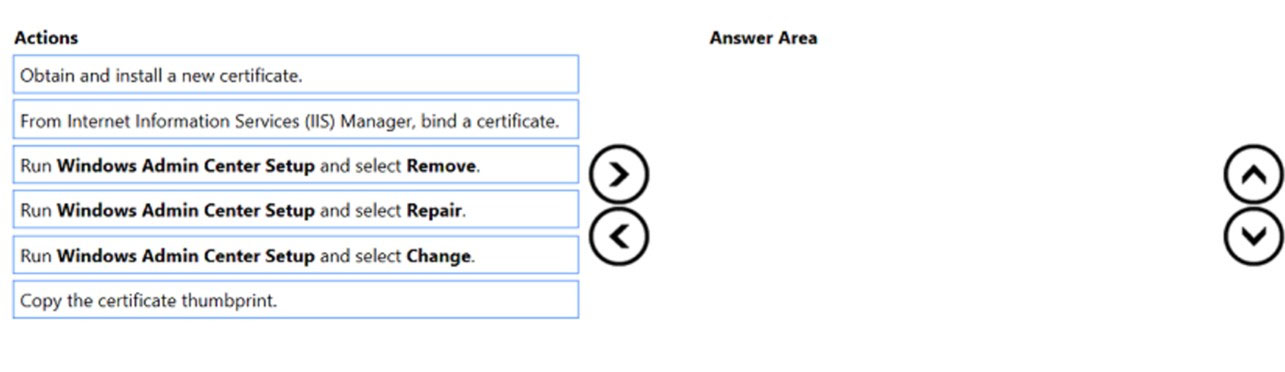
Which three actions should you perform in sequence? To answer, move the appropriate actions from the list of actions to the answer area and arrange them in the correct order.
Select and Place:
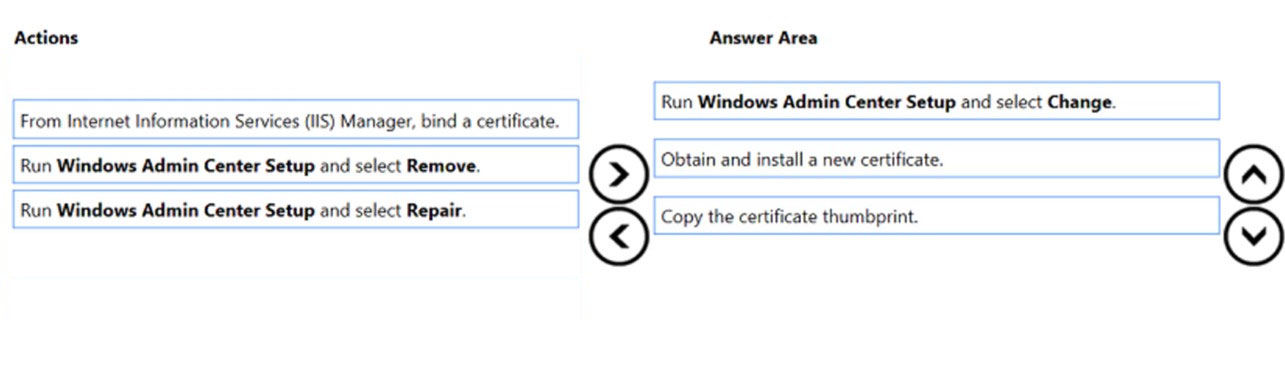
Step 1: Run Windows Admin Center Setup and select Change.
Updating the certificate used by Windows Admin Center
When you have Windows Admin Center deployed as a service, you must provide a certificate for HTTPS. To update this certificate at a later time, re-run the installer and choose change.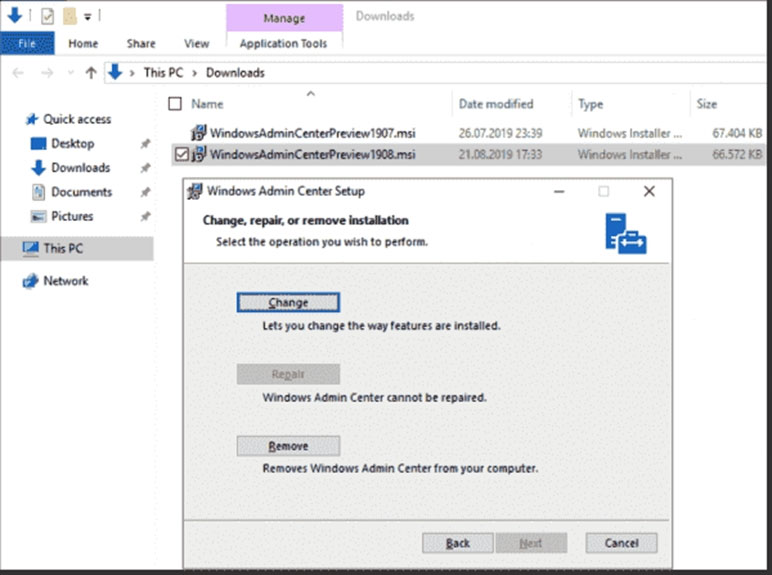
Step 2: Obtain and install a new certificate.
Step 3: Copy the certificate thumbprint.
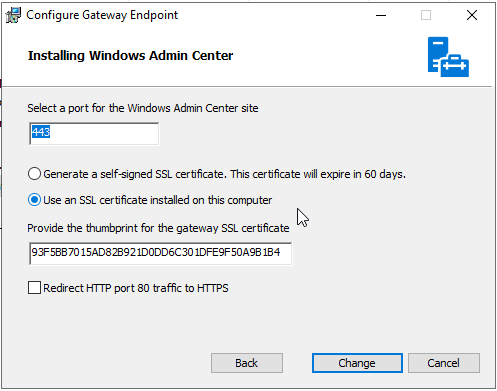
The final step is to copy the certificate's thumbprint into the setup soon after installing it into the local store.
Reference:
https://4sysops.com/archives/install-an-ssl-certificate-in-windows-admin-center/
- Obtain and install a new certificate. - First we must put certificate to local certificate store
- Copy the certificate thumbprint. - Then we copy thumbprint of newly obtained certificate
- Run Windows Admin Center Setup and select Change. - At the end we start WAC setup and paste thumbprint from clipboard.
Goofer
Highly Voted 1 year, 9 months ago
In my test on Wondows Server 2022 Request New Certificate,
Open certificate and Copy Thumbprint Go to Apps & Features,
klik Windows Admin Center, Klik Modify, Klik Next Klik Change, Paste Thumbprint, Klik Change, Klik Finish, Ready Answers: 1. Obtain and install a new certificate 2. Copy the certificate thumbprint 3. Run Windows Admin Center Setup and select Change
upvoted 19 times
lukiduc9625
Highly Voted 2 years, 2 months ago
In my opinion step 1 in suggested answer should be last one - when we start Windows Admin Center Setup and select Change we cannot continue until we have copied thumbprint of new certificate thus starting WAC Setup on the beginning isn't necessary
upvoted 19 times
Joedn
Most Recent 5 months, 3 weeks ago
Valid 05/28/2024
upvoted 1 times
munti23
6 months, 2 weeks ago
Obtain, Copy and Run WAC Setup and Select Change.
upvoted 2 times
boapaulo
11 months, 1 week ago
To replace the expired certificate in Windows Admin Center, you must follow these steps in sequence:
upvoted 3 times
Techbiz
1 year, 4 months ago
The right answer is what Goofer presented. Do a little bit of research on that and you will see. The certificate needs to be installed on the server hosting the WAC and the certificate thumbprint gotten either via MMS snap-in or PowerShell, then you need to re-run the WAC setup and choose change to setup the new certificate. Then you're good to go.
upvoted 1 times
syu31svc
1 year, 8 months ago
1) Obtain 2) Copy 3) Run change This is the most logical flow to me
upvoted 7 times
MarkusSan
1 year, 11 months ago
obtain and install new cert copy cert thumbprint re-run the installer and choose change. http://coryretherford.com/Lists/Posts/Post.aspx?ID=418
upvoted 3 times
joehoesofat
2 years ago
install cert, copy thumbprint, change install
upvoted 7 times
kijken
2 years ago
install cert, copy thumbprint, change install
upvoted 3 times
Bruk
2 years ago
I think its Install Cert , Copy Thumbprint en click Change in admin center https://www.starwindsoftware.com/blog/change-the-windows-admin-center-certificate
upvoted 3 times
ThomasMcThomasface
2 years, 1 month ago
In the last exam I took (October 13th '22) it was change last
upvoted 2 times
rimvydukas
2 years, 1 month ago
My order would be: install, copy, change
upvoted 4 times