
- 4 views
You need to register SRV1 to sync Azure file shares. The registration must use the Storage Sync Service.
The required source files are located in a folder named \\dc1.contoso.com\install.
You do NOT need to configure file share synchronization at this time, and you do NOT need to update the agent.
The suggested answer is correct
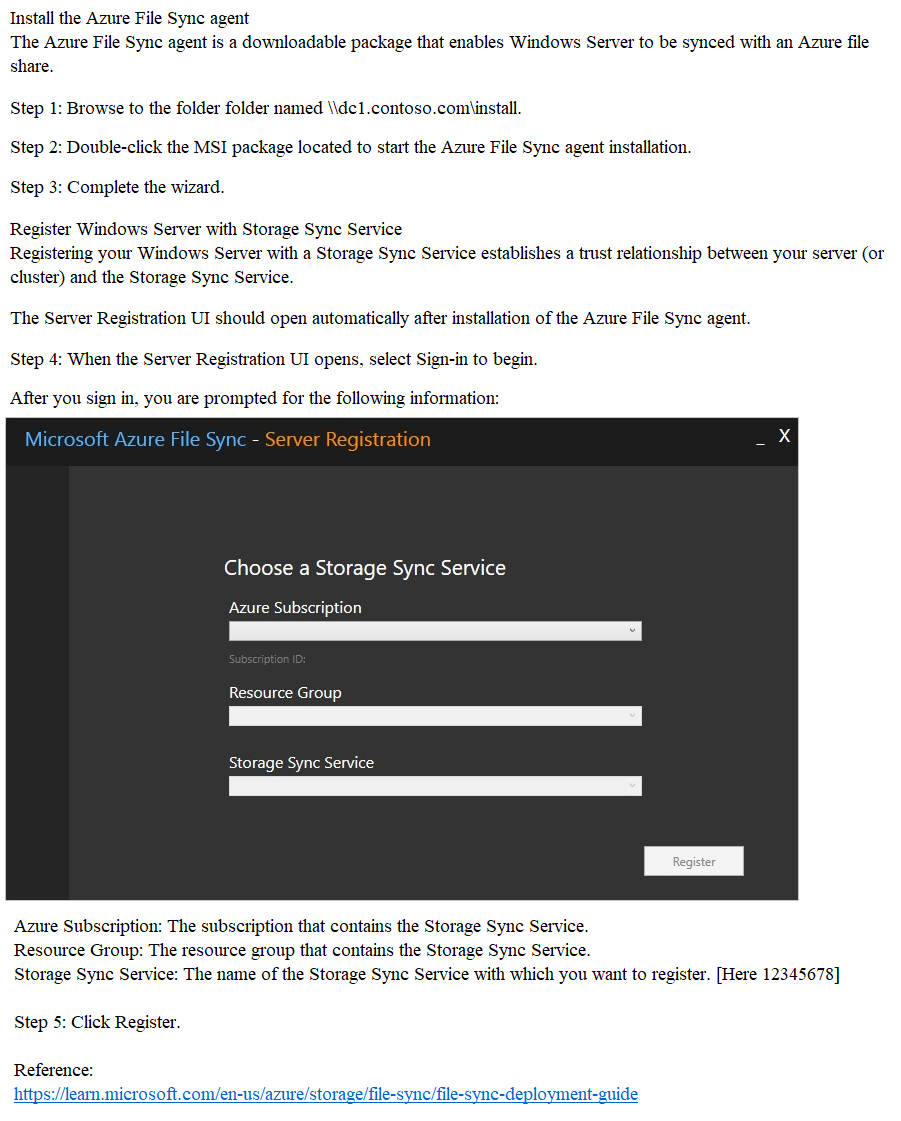
The Server Registration UI should open automatically after the Azure File Sync agent installs. If it doesn't, you can open it manually from its file location:
C:\Program Files\Azure\StorageSyncAgent\ServerRegistration.exe. When the Server Registration UI opens, select Sign-in to begin.After you sign in, you're prompted for the following information:
- Azure Subscription: The subscription that contains the Storage Sync Service (see Deploy the Storage Sync Service).
- Resource Group: The resource group that contains the Storage Sync Service.
- Storage Sync Service: The name of the Storage Sync Service with which you want to register.
Select the appropriate information and then select Register to complete the server registration. As part of the registration process, you're prompted for an additional sign-in.
neilkraftmann
3 months, 1 week ago
Had this on my exam recently.
Login to SRV1 > enter File Explorer bar the location > Select File Sync Folder > Install the .exe file > Open the program > Select the subscription, resource group, location etc. > Done!
You can double check by opening the web browser and login to the Azure URL and go to the designated page to see.
upvoted 2 times